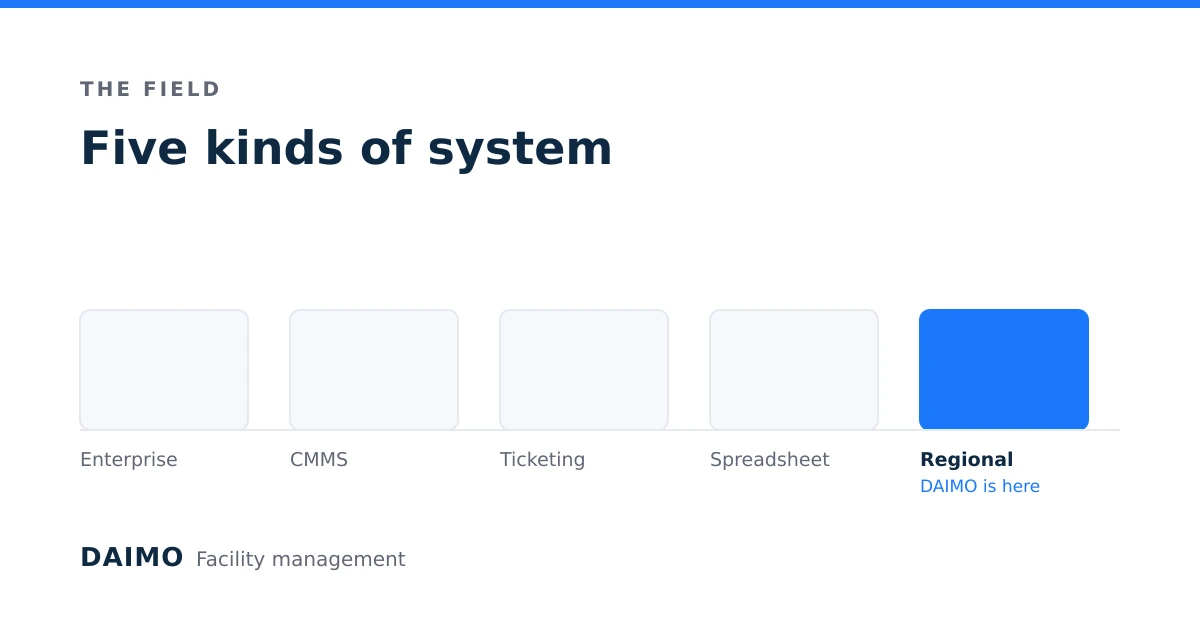
What Is a CAFM System? A Complete Guide for Facility Teams in Saudi Arabia
A CAFM system is the difference between knowing what your buildings cost and guessing. This guide explains what the software category actually is, how it differs from the three categories it is constantly confused with, and what to verify before you sign anything.
What is a CAFM system?
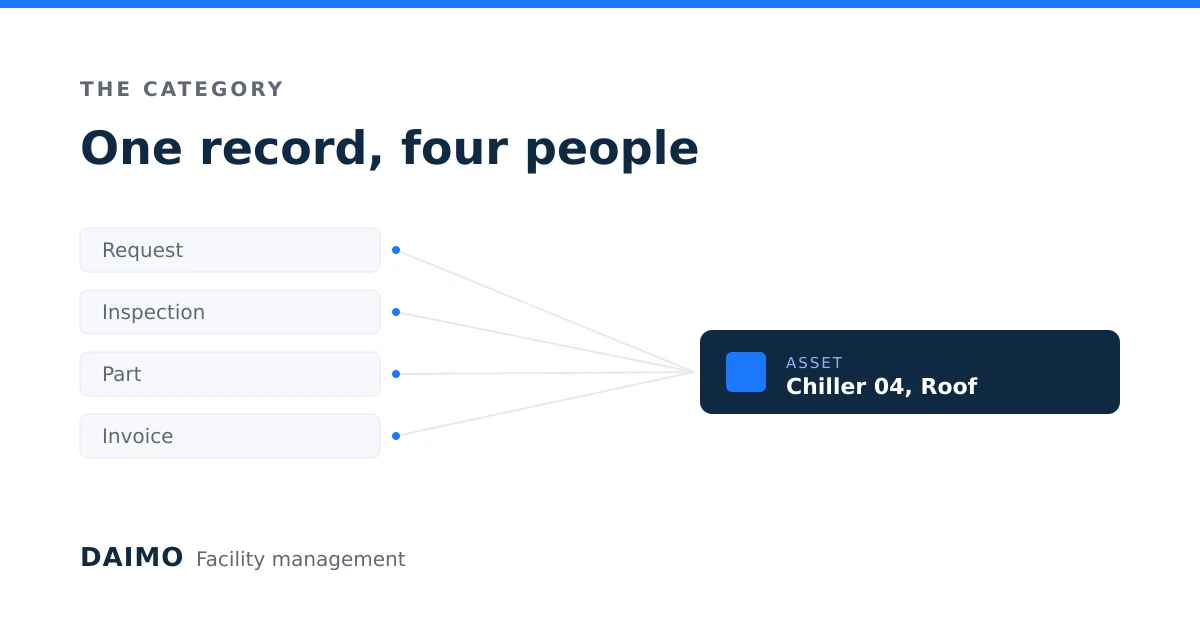
A CAFM system (Computer-Aided Facility Management) is software that holds one record of an organisation's buildings, the equipment inside them, the work done on that equipment, and what that work cost. Every request, inspection, part and invoice attaches to a specific asset in a specific place, so the history of a chiller is one query rather than a search through email.
The category exists because facility work is distributed by nature. The person who notices a problem is not the person who fixes it, who is not the person who approves the spend, who is not the person answerable for the budget at year end. A CAFM system is the shared record those four people work from.
Three properties separate a CAFM system from a list of tasks:
- Assets are first-class. Work attaches to a numbered asset, not to a free-text description of a place.
- Planned work is generated, not remembered. Schedules produce the work orders, on the interval the equipment requires.
- Cost accumulates against the asset. Labour, parts and contractor invoices roll up to the thing they were spent on.
Remove any of the three and you have a ticketing tool.
CAFM vs CMMS vs IWMS vs EAM: what is the actual difference?
These four categories overlap enough that vendors use them interchangeably, and different enough that buying the wrong one is expensive. The short version: CMMS is about maintenance, CAFM is about the building, IWMS is about the property portfolio, EAM is about capital-intensive equipment.
| Category | Centre of gravity | Typically bought by | Answers the question |
|---|---|---|---|
| CMMS (Computerised Maintenance Management System) | Work orders and preventive maintenance | Maintenance manager | Is the equipment being maintained? |
| CAFM (Computer-Aided Facility Management) | The building and everything in it: maintenance, space, services, cost | Facility manager | What does running this building involve and cost? |
| IWMS (Integrated Workplace Management System) | Real estate portfolio: leases, space planning, capital projects | Head of real estate | Should we hold, lease or dispose of this property? |
| EAM (Enterprise Asset Management) | The asset lifecycle in capital-intensive operations | Plant or operations director | When do we overhaul, and when do we replace? |
In practice most organisations that say "we need a CMMS" want a CAFM system, because the first question their finance director asks is a cost question, and a pure CMMS does not answer cost questions well.
A useful test: write down the three reports you will be asked for in your first year. If they are all "was this job done", a CMMS is enough. If any of them is "what did this building cost us", you are buying CAFM.
What does a CAFM system actually do?
A complete CAFM system covers six areas. A system missing one of them will push that work back into spreadsheets, which is where the single record starts to come apart.
Asset register. Every asset with a unique identifier, location, make and model, install date, warranty expiry and expected life. QR codes or barcodes on the equipment so a technician standing in front of it can open its record without searching.
Work orders and requests. A single intake for corrective work, whoever raises it, with priority, assignment, status, and a record of what was actually done. An SLA clock on the ones that carry a commitment, and escalation when the clock runs out.
Planned preventive maintenance. Schedules attached to assets, generating work orders on interval or on meter reading, with the checklist the technician follows.
Inventory and procurement. Spare parts across stores, with reorder points, supplier records, and a link from the part issued to the work order that consumed it.
Cost and budget. Labour hours, parts consumed and contractor invoices accumulated against asset, location and cost centre, measured against a budget.
Reporting. Dashboards for the people running the day, and exports for the people answering for the year.
Two more are worth insisting on in any operation with technicians in the field:
Mobile execution that works offline. Plant rooms, basements and lift shafts do not have signal. A mobile app that requires connectivity produces paper that is typed in later, which is the problem you bought software to solve.
Approvals. A spend threshold above which a human has to agree, recorded where the auditor can see it.
When does an organisation need one?
The honest answer is later than vendors say and earlier than most facility managers admit. These five signals are the ones that reliably mean a spreadsheet has stopped working:
- You cannot answer how much a specific asset has cost you. Not approximately. At all.
- Preventive maintenance slips and nobody notices for a month. The schedule lives in someone's memory or someone's calendar, and both take holidays.
- The same fault recurs and you cannot prove it. Without history, a replace-or-repair argument is two opinions.
- More than about fifteen technicians, or more than about five sites. Below that, coordination by phone genuinely works. Above it, it stops working quietly.
- Someone external asks for evidence. An auditor, an insurer, a client with an SLA, a regulator. Evidence assembled after the fact is expensive and unconvincing.
If none of the five is true, keep the spreadsheet. It is cheaper and you will move faster.
What should a Saudi organisation check before buying?
Most CAFM products are built elsewhere and adapted afterwards, and adaptation shows in specific places. Check these before the demo impresses you.
Arabic that is real, not machine-translated. Open the system in Arabic and read three screens: a work order, a report, and an error message. Error messages are where translation quality collapses, because they are written last and reviewed least.
Right-to-left layout, not mirrored text. A properly bilingual interface reverses the layout, not just the paragraph direction. Look at tables, date pickers, charts and progress bars. If a chart still reads left to right while the page reads right to left, the product was translated rather than built bilingual.
Both calendars. Gregorian and Hijri dates appear in Saudi operations, in different documents, for different audiences. Ask which one the reports use and whether it can be changed.
Where the data lives. Ask for the hosting region in writing, and ask what happens to your data if you leave. A vendor who cannot answer the second question quickly has not thought about it.
E-invoicing. If the system will issue invoices, ask directly whether it integrates with ZATCA e-invoicing or whether invoices are exported to a system that does. Both answers are workable. A vague answer is not.
Who owns the tenancy. In multi-tenant software, ask how one organisation's data is separated from another's, and get the answer in a sentence you understand. "It is secure" is not the answer.
How long does implementation take?
A realistic first deployment takes 8 to 12 weeks for a single organisation with a few sites, and the time goes almost entirely into data, not software.
Weeks 1 to 3: the asset register. This is the whole project. Every subsequent feature depends on a list of assets that is accurate enough to trust. Walk the sites. Do not import a spreadsheet you have not verified.
Weeks 3 to 5: people and permissions. Who raises work, who approves it, who sees cost. Get this wrong and people either cannot do their jobs or can see salaries.
Weeks 5 to 8: planned maintenance. Load the schedules the equipment actually requires. This is where manufacturer manuals and, where you use it, a standard maintenance schedule library earn their cost.
Weeks 8 to 12: run both. Keep the old process alive alongside the new one for one full cycle. The first month reveals the assets you missed.
The failure mode is a big-bang cutover with an imported asset register nobody checked. Six months later the system is blamed for data somebody else typed.
How do you measure whether it worked?
Four numbers, measured before you start and again at six months. Measure them even if they are embarrassing at the start, because the starting number is the only evidence you will ever have that something changed.
- Planned versus reactive ratio. The share of work hours spent on scheduled work. Most operations start below 40 percent. Above 70 percent is a well-run estate.
- PPM completion rate. The share of scheduled maintenance completed within its window. Below 85 percent means the schedule is fiction.
- Mean time to repair. From request to verified completion, for a defined class of fault.
- Cost per square metre. The number your finance director already has an opinion about, now attributable to specific buildings and specific assets.
A system that does not move the first two in six months has not been adopted, whatever the login statistics say.
Common questions
Is CAFM software worth it for a single building? Usually not, unless the building is complex (a hospital, a data centre, a large mall) or an external party requires evidence of maintenance. One building with a handful of technicians is inside the range where coordination by phone and a shared spreadsheet genuinely works.
Can a CAFM system replace our accounting system? No, and a vendor who says yes should worry you. It should cost work accurately and export to the accounting system. It is not a general ledger.
What is the most common reason these projects fail? An asset register nobody trusts. Every other failure is downstream of that one.
Do technicians actually use the mobile app? Only if it is faster than what they do now. The test is whether a technician can close a job in under a minute standing at the equipment, offline. If it takes three minutes and needs signal, it will be filled in at the end of the day from memory, and the data will be worth nothing.
How is DAIMO positioned in this? DAIMO is a multi-tenant CAFM platform built bilingual in Arabic and English from the start, covering the asset register, work orders with SLA tracking, planned maintenance, multi-warehouse inventory, budgets and invoicing, approvals, and mobile execution with offline sync. Each organisation gets its own subdomain and its own separated data. There is a 14-day trial, which is long enough to load a real asset register and find out whether the thing fits your operation.